Stretch Link
<quiet-stretch-link>
Turns an entire region into a single clickable link while keeping nested buttons, links, and form controls fully interactive and accessible. Reach for it when an entire card, media tile, or block of content should activate one destination.
HTML
doesn't allow interactive
inside an <a>, so a clickable card or list item stops being valid as soon as it contains
its own button, link, or form control. A stretch link works around this by placing a link
over the region instead of wrapping the content in it. Since nothing is nested inside the link, the
markup stays valid and interactive elements keep working as expected.
Click an empty part of the region and it follows the link; click a nested button, link, or form control and that element responds instead. Modifier and middle clicks open a new tab or window, just like a native link. The link is keyboard focusable with a meaningful name, and each nested control keeps its place in the tab order.
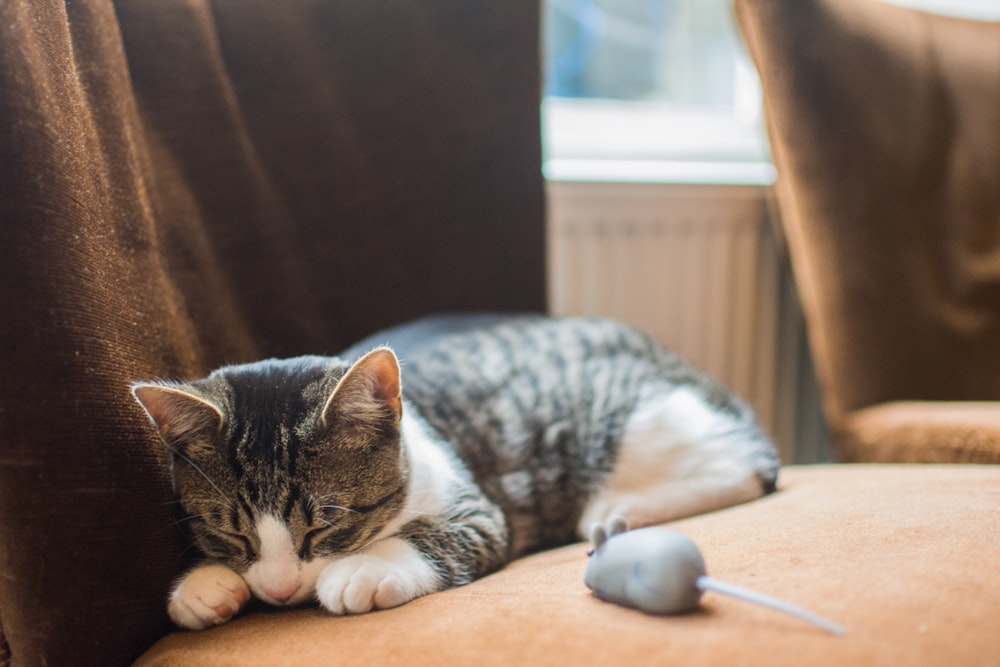
The sleepy tabby
Clicking anywhere on this card follows the link, but the buttons below still works on their own.
<quiet-stretch-link label="The sleepy tabby" href="https://example.com" target="_blank" rel="noreferrer noopener" style="max-width: 340px;">
  <quiet-card>
    <img slot="media" src="https://images.unsplash.com/photo-1515073883629-5e2924e3e106?q=80&w=1000&auto=format&fit=crop&ixlib=rb-4.0.3&ixid=M3wxMjA3fDB8MHxwaG90by1wYWdlfHx8fGVufDB8fHx8fA%3D%3D" alt="A tabby kitten sleeps next to a toy mouse.">

    <h3 style="font-size: 1.125rem; margin-block: 0 .5rem;">The sleepy tabby</h3>
    <p style="margin: 0;">Clicking anywhere on this card follows the link, but the buttons below still works on their own.</p>

    <quiet-button slot="footer" variant="primary">Adopt me</quiet-button>
    <quiet-button slot="footer">Learn more</quiet-button>
  </quiet-card>
</quiet-stretch-link>
The content sits above the link so text selection and nested controls keep working, which means the link isn't the topmost element over your content. As a result, right-clicking the content won't show the browser's Copy link address option. This is an intentional trade-off, since the link can't sit on top for right-clicks without covering the selectable content.
Examples Jump to heading
Providing a label Jump to heading
Because the content isn't nested inside the link, the link has no text of its own to announce. Set the
label attribute to give it a concise, meaningful accessible name. For
voice
and consistency, it should contain the region's primary visible text, such as its heading.
A curious calico looking for a sunny windowsill to call home.
<quiet-stretch-link label="Clementine" href="https://example.com" target="_blank" rel="noreferrer noopener" style="max-width: 340px;">
  <quiet-card>
    <strong>Clementine</strong>
    <p style="margin-block: .5rem 0;">A curious calico looking for a sunny windowsill to call home.</p>

    <quiet-button slot="footer" variant="primary">Adopt me</quiet-button>
  </quiet-card>
</quiet-stretch-link>
When you omit the label, the link borrows its accessible name from the region's visible text.
This works well for short content, like a single heading, where the visible text already makes a good name.
<quiet-stretch-link href="https://example.com">
  <quiet-card>
    <h3>Clementine</h3>
  </quiet-card>
</quiet-stretch-link>
For larger regions, prefer an explicit label. The fallback concatenates all of the
region's visible text, including the labels of nested buttons and links, which can produce a long, noisy
name. If you do rely on it, lead with a heading or descriptive text rather than a bare button or link, so
the link's name starts with where it goes.
Opening in a new tab Jump to heading
Use the target attribute to control where the link opens. When linking to an external domain,
set rel to noreferrer noopener for safety.
Mochi's adventures
The card opens this profile in a new tab, but the follow button still works on its own.
<quiet-stretch-link
  label="Mochi's adventures"
  href="https://example.com"
  target="_blank"
  rel="noreferrer noopener"
  style="max-width: 340px;"
>
  <quiet-card>
    <h3 style="font-size: 1.125rem; margin-block: 0 .5rem;">Mochi's adventures</h3>
    <p style="margin: 0;">The card opens this profile in a new tab, but the follow button still works on its own.</p>

    <quiet-button slot="footer" variant="primary">
      <quiet-icon slot="start" name="user-plus"></quiet-icon>
      Follow Mochi
    </quiet-button>
  </quiet-card>
</quiet-stretch-link>
Nesting interactive elements Jump to heading
Buttons, links, form controls, and similar elements keep working as expected. They're never triggered by the stretched link, and the stretched link is never triggered by them. This includes interactive elements nested inside a custom element's shadow root, such as the controls inside Quiet's own components.
Project Whiskers
Tap the card to open the project, or use the controls below.
<quiet-stretch-link label="Project Whiskers" href="https://example.com" target="_blank" rel="noreferrer noopener" style="max-width: 340px;">
  <quiet-card>
    <h3 style="font-size: 1.125rem; margin-block: 0 .5rem;">Project Whiskers</h3>
    <p style="margin: 0;">Tap the card to open the project, or use the controls below.</p>

    <quiet-button slot="footer" variant="primary">Quick View</quiet-button>
    <quiet-button slot="footer">More Info</quiet-button>
  </quiet-card>
</quiet-stretch-link>
Excluding an element Jump to heading
To stop a non-interactive element from following the link when clicked, add
data-stretch-link="ignore" to it. This is handy for badges, captions, or other
regions that shouldn't navigate.
Excluded elements still inherit the region's pointer cursor, since they're not links themselves. Reset it
with cursor: auto if you'd rather they not look clickable, as shown below.
Cats in space
The whole card is a link, the button still works, and the tags below do nothing when clicked.
<quiet-stretch-link label="Cats in space" href="https://example.com" target="_blank" rel="noreferrer noopener" id="stretch-link__ignore" style="max-width: 340px;">
  <quiet-card>
    <h3 style="font-size: 1.125rem; margin-block: 0 .5rem;">Cats in space</h3>
    <p style="margin: 0 0 .75rem;">The whole card is a link, the button still works, and the tags below do nothing when clicked.</p>

    <quiet-badge data-stretch-link="ignore" variant="primary">Featured</quiet-badge>
    <quiet-badge data-stretch-link="ignore" variant="neutral">Vaccinated</quiet-badge>
    <quiet-badge data-stretch-link="ignore" variant="neutral">Indoor</quiet-badge>

    <quiet-button slot="footer" variant="primary">Launch</quiet-button>
  </quiet-card>
</quiet-stretch-link>

<style>
  #stretch-link__ignore [data-stretch-link="ignore"] {
    cursor: auto;
  }
</style>
Wrapping inline content Jump to heading
The stretch link is display: block by default, so it fills the available width and the
clickable area always matches the host's box. To shrink-wrap inline content instead, change the host's
display property to inline-block or inline-flex.
<quiet-stretch-link
  label="Meet Pumpkin"
  href="https://example.com"
  target="_blank"
  rel="noreferrer noopener"
  id="stretch-link__inline"
>
  <span class="box">
    Meet Pumpkin, our cat of the week
    <quiet-button size="sm" variant="primary">Adopt</quiet-button>
  </span>
</quiet-stretch-link>

<style>
  #stretch-link__inline {
    display: inline-block;

    .box {
      display: flex;
      align-items: center;
      gap: 1rem;
      padding: 1rem;
      border: var(--quiet-border-style) var(--quiet-border-width) var(--quiet-neutral-stroke-softer);
      border-radius: var(--quiet-border-radius-md);
      background-color: var(--quiet-paper-color);
      box-shadow: var(--quiet-shadow-softer);
    }
  }
</style>
Styling stretch links Jump to heading
The stretch link is a behavior, not a look, though it does show a pointer cursor over the clickable region for you. Make the region feel clickable by styling the content you slot in, for example by changing the background or elevation on hover.
This card lifts when you hover it, and the button below still works.
<quiet-stretch-link
  label="Hover me"
  href="https://example.com"
  target="_blank"
  rel="noreferrer noopener"
  id="stretch-link__hover"
  style="max-width: 340px;"
>
  <quiet-card>
    <strong>Hover me</strong>
    <p style="margin-block: .5rem 0;">This card lifts when you hover it, and the button below still works.</p>

    <quiet-button slot="footer" variant="primary">Adopt me</quiet-button>
  </quiet-card>
</quiet-stretch-link>

<style>
  #stretch-link__hover quiet-card {
    transition: box-shadow 0.2s ease, transform 0.2s ease;
  }

  #stretch-link__hover:hover quiet-card {
    box-shadow: var(--quiet-shadow-mid);
    transform: translateY(-2px);
  }
</style>



API Jump to heading
Importing Jump to heading
The autoloader is the recommended way to import components but, if you prefer to do it manually, the following code snippets will be helpful.
To manually import <quiet-stretch-link> from the CDN, use the following code.
import 'https://cdn.quietui.org/v6.5.0/components/stretch-link/stretch-link.js';
To manually import <quiet-stretch-link> from a self-hosted distribution, use the
following code. Remember to replace /path/to/quiet with the appropriate local path.
import '/path/to/quiet/components/stretch-link/stretch-link.js';Slots Jump to heading
Stretch Link supports the following slots. Learn more about using slots
| Name | Description |
|---|---|
| (default) | The content to make clickable. Interactive elements such as buttons, links, and form controls remain usable and are not nested inside the link in the DOM. |
Properties Jump to heading
Stretch Link has the following properties that can be set with corresponding attributes. In many cases, the attribute's name is the same as the property's name. If an attribute is different, it will be displayed after the property. Learn more about attributes and properties
| Property | Description | Reflects | Type | Default |
|---|---|---|---|---|
href
|
The URL the link points to. Without it, the region renders its content but isn't clickable. |
|
string
|
|
target
|
Opens the link in the specified target. |
|
'_blank' |
                      '_parent' |
                      '_self' |
                      '_top' |
                      undefined
|
|
rel
|
Sets the link's rel attribute. When linking to an external domain, you should probably
set this to noreferrer noopener.
|
|
string |
                      undefined
|
|
download
|
Sets the link's download attribute, causing the linked file to be downloaded.
|
|
string |
                      undefined
|
|
label
|
An accessible label for the link. Because the content isn't nested inside the link, this gives assistive devices a meaningful name for the destination. For voice control and consistency, it should contain the region's primary visible text, such as its heading. When omitted, the link borrows its name from the region's visible text, which works well for short content but can be verbose for larger regions. |
|
string |
                      undefined
|
CSS parts Jump to heading
Stretch Link exposes internal elements that can be styled with CSS using the selectors shown below. Learn more about CSS parts
| Name | Description | CSS selector |
|---|---|---|
link |
The internal anchor that stretches over the content to capture clicks, an
<a> element.
|
::part(link)
|
content |
The container that wraps the default slot, a <div> element.
|
::part(content)
|
Custom States Jump to heading
Stretch Link has the following custom states. You can target them with CSS using the selectors shown below. Learn more about custom states
| Name | Description | CSS selector |
|---|---|---|
link |
Applied when an href is set and the region behaves as a link.
|
:state(link)
|